CONSTRUCTION DATA EXCHANGE THAT HOLDS THE GROUND TRUTH.
Real-time field-to-office exchange for general contractors — photo-verified daily reports, MRF-to-GRN material tracking, and crew allocations without app-store friction — with Ask Datum, a built-in AI assistant that turns voice notes into reports and answers site questions instantly.
Meet Ask Datum — Specialised AI Assistant for Your Construction Company →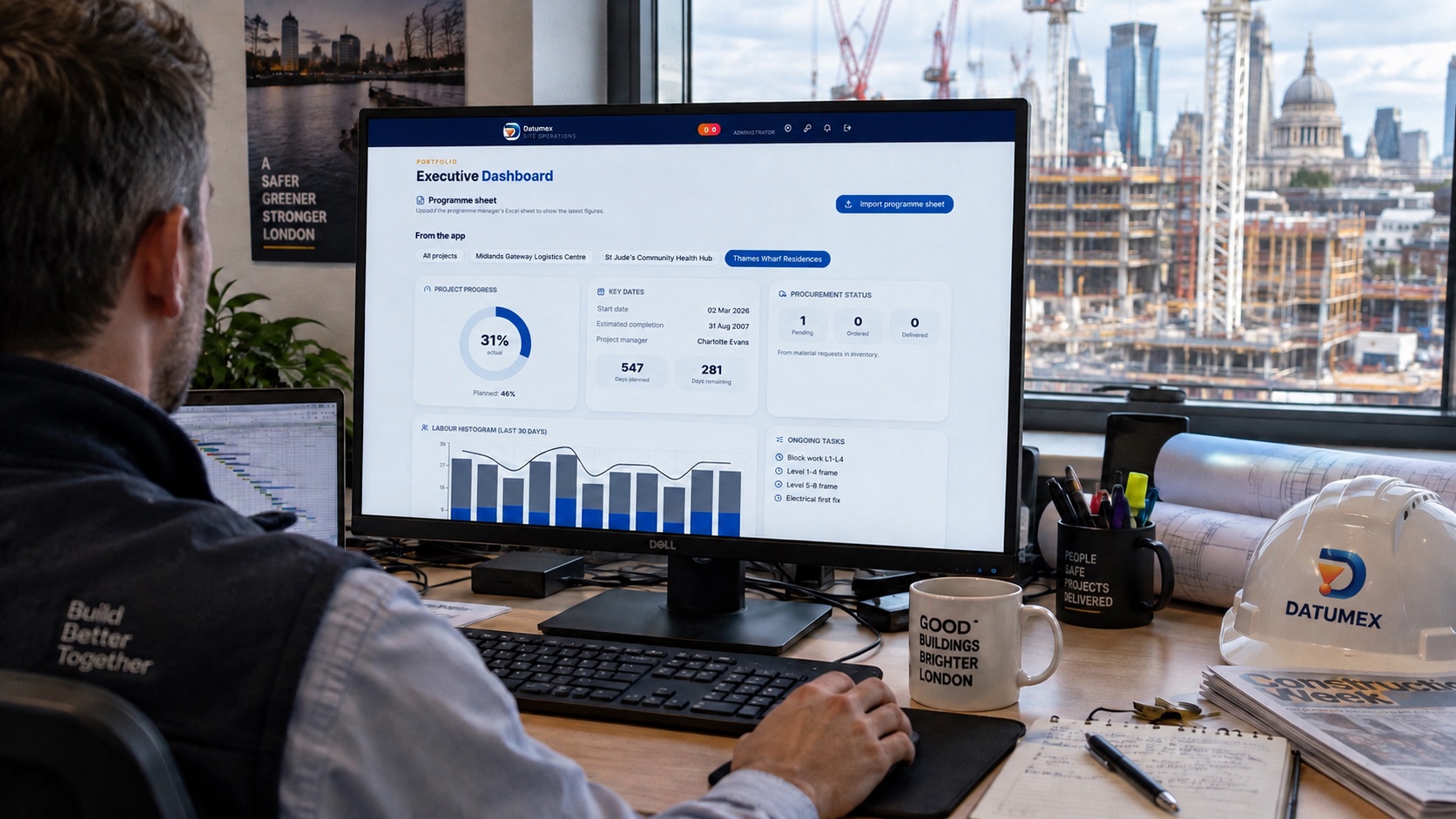
07:46 · Office sees it live

07:45 · Site uploads photo
ONE OPERATING SYSTEM FOR THE WHOLE TEAM.
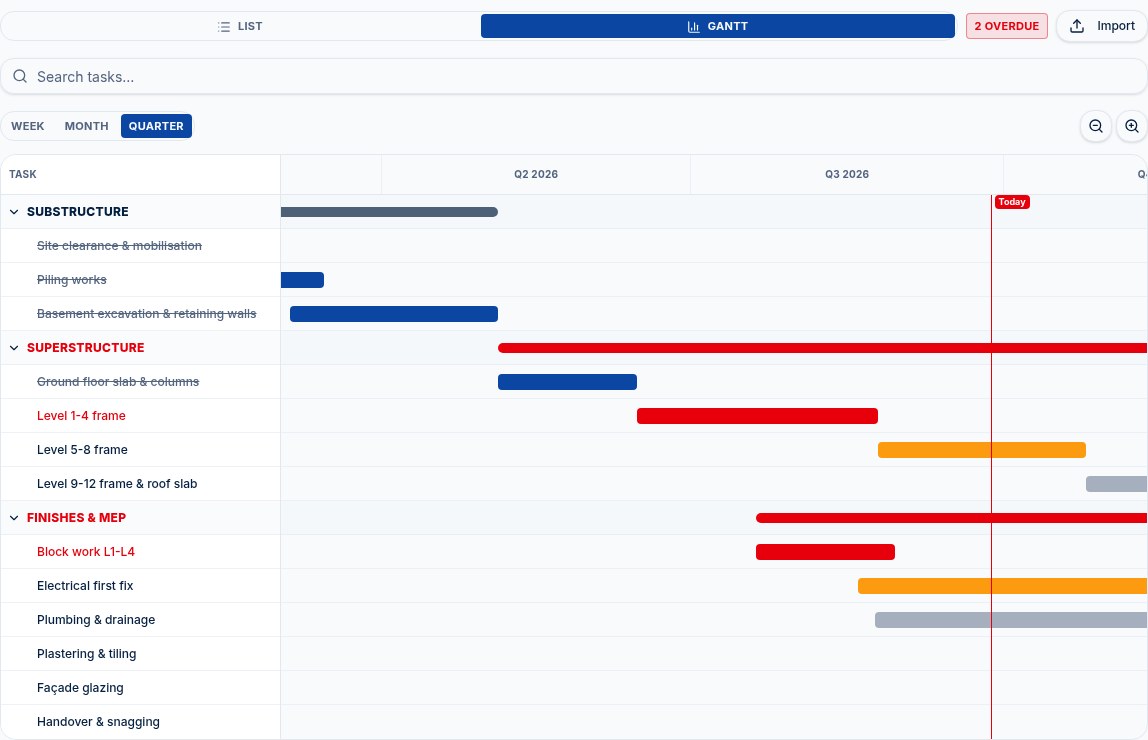
Projects, Tasks & Gantt
Every live project with its client, programme dates, WBS tasks and a live Gantt schedule that flags overdue work.
 Hover to preview
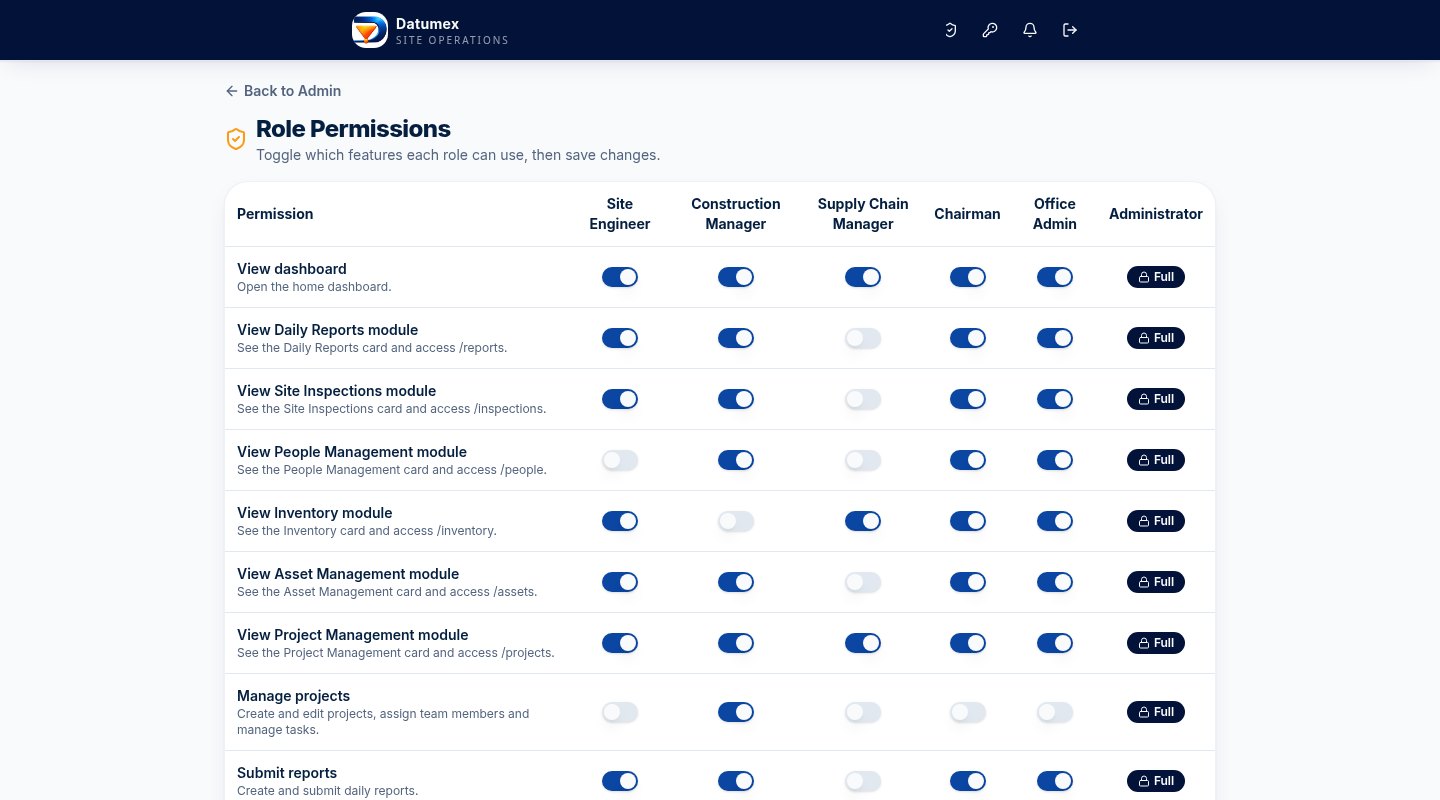
Role-Based Permissions
Fine-grained access for admins, engineers, construction managers, chairmen, and office staff.
 Hover to preview
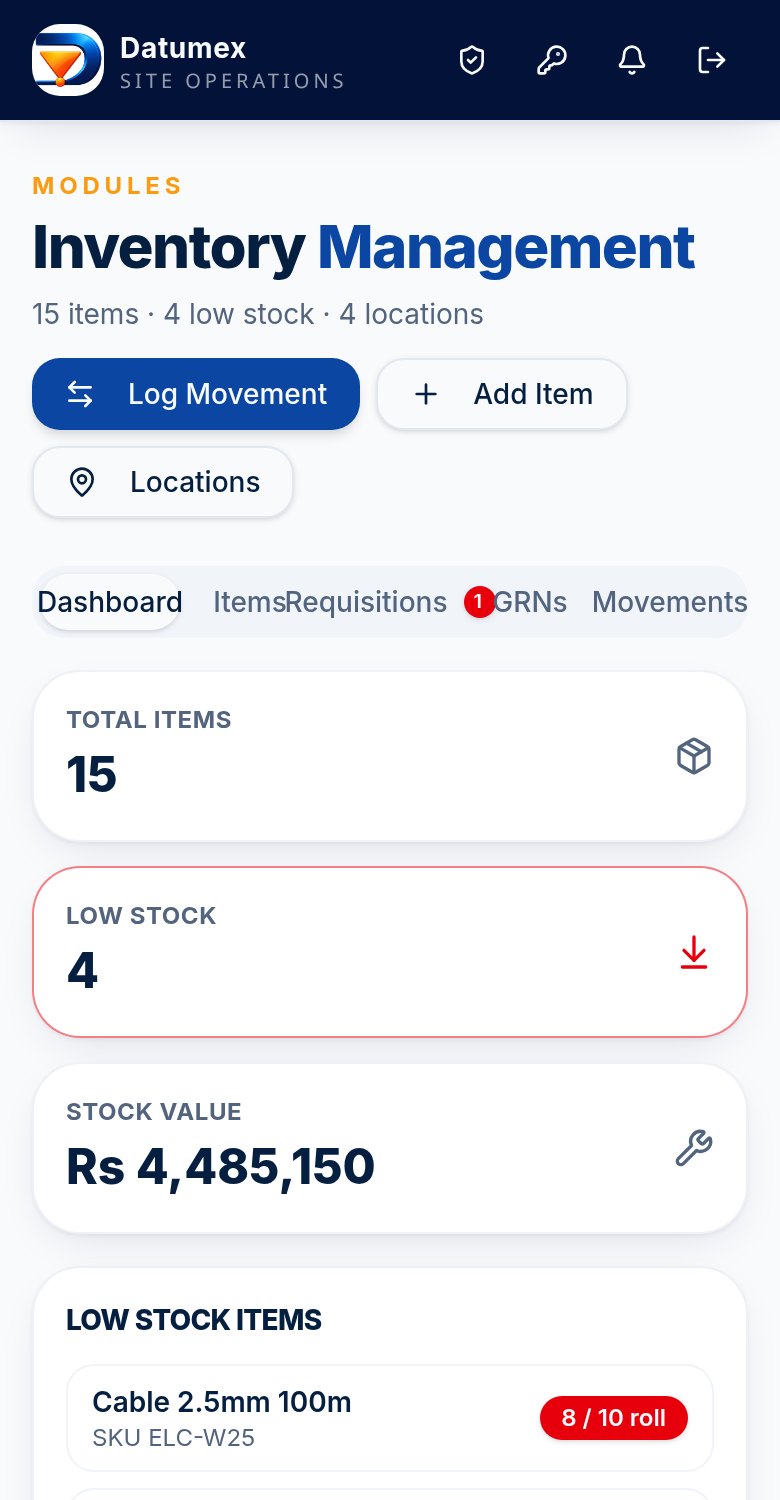
Inventory & MRF/GRN
Track stock, locations, and movements. Raise Material Requisition Forms, approve them, and log Goods Received Notes.
- MRF request
- Approval
- GRN receipt
 Hover to preview
Your Dedicated AI Assistant
Speak your site notes and Ask Datum drafts the daily report. Ask about progress, labour or delays and get answers from your own records.
ACTIVITIES, LOGGED WITH PROOF.
The heart of every daily report is the Activities log — each task on site tracked with planned, executed, and cumulative progress, backed by photo evidence from the field. Captured on mobile, reviewed in the office.

Activities logged from a phone — progress percentages and photo evidence attached to every task on site.

Planned vs Executed
Track planned, executed and cumulative % for every activity, every day.
Photo Evidence
Attach photos to each activity — proof of progress, safety, and quality.
Structured Tasks
Each activity captured on its own card — location, scope, and status.
Mobile Capture
Add activities from a phone on site — no laptop, no paper, no delay.
Don't type the report. Just speak it.
Walk the site, record a quick voice note, and Ask Datum drafts the whole structured report — manpower, plant, delays and tomorrow's plan — ready to check and submit.
Voice note · 0:32
Site engineer, Thames Wharf
“Poured 45 cubic metres of C35 on Grid C to E. Six groundworkers and two carpenters on site. The pump was 45 minutes late because of traffic. Tomorrow we strike the shutters.”
Daily report · auto-filled
- Activity
- Slab pour Grid C–E · 45 m³ C35
- Manpower
- 6 groundworkers · 2 carpenters
- Machinery
- Mobile concrete pump · 6 hrs
- Issues
- Pump arrived 45 min late (traffic)
- Next day plan
- Strike shutters on Grid C
30-second voice drafts
Hands-free after a long shift — speak naturally, no typing in gloves.
Instant site answers
Ask “How much concrete was poured this week?” and get answers from real site records.
Your data stays yours
Each company's information is kept strictly separate. Nothing is shared.
The Operation Loop
Field Capture
Site engineers log reports, MRFs, and attendance directly from the mobile PWA — gloves-friendly, works in bright sunlight.
Office Review
Managers and chairmen approve or reject reports and material requisitions from a central dashboard.
Real-Time Sync
Stakeholders see live project metrics, GRNs, and headcount across every site as soon as they land.
Ready for Deployment?
Get a personalised walkthrough of Datumex and see how we streamline site operations for firms running distributed crews.
- ✓Walkthrough of the mobile PWA + office dashboard
- ✓Discussion of your reporting & approval flows
- ✓Roll-out and legacy data migration plan